
10 Tips for an Effortless Smart Home Experience

Updated: Jan 17
What Defines a Smart Home?
A smart home uses technology to help with everyday tasks, like turning lights on and off or locking doors. You can control these devices with your voice or your phone. Most are connected to the internet and can talk to each other.
Why Should I Make My Home Smarter?
Smart homes can save you time and energy. They also make your home safer and add a fun, interactive touch. Just say a command and see what happens.
How Do I Create a Smart Home?
Select Your Hub
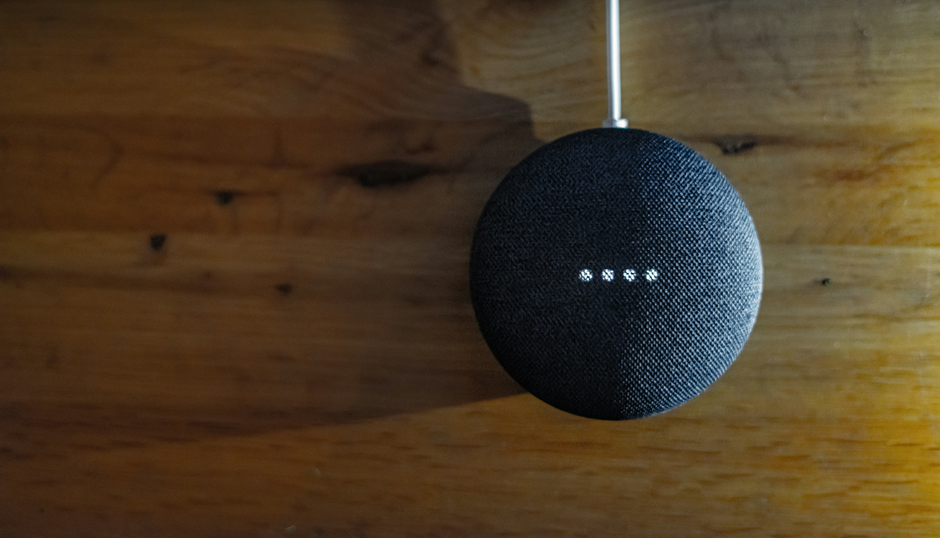
The hub is the main controller for your smart home. It helps your devices talk to each other. Some popular options are the Amazon Echo and Google Nest.
Pick Compatible Devices
Make sure your devices work with your hub. When you shop, look for labels like "Works with Alexa" or "Google Home compatible" to be sure.
Set Up a Reliable Network
A strong Wi-Fi network is important. You may need to upgrade your router, since some smart devices work best on a separate network.
Essential Smart Devices You Should Have
Smart Lighting
You can control smart lights with your voice or your phone. You can also change their colors and set schedules to make life easier.
Smart Locks
Smart locks let you lock or unlock your doors from your phone. You can also give digital keys to guests.
How Can I Get My Devices to Work Together?
Create Routines
Routines let you control several devices at once with a single command. For example, saying “Good morning” can turn on your lights and start your coffee maker.
Group Devices
Put devices in the same room into a group so you can control them all together. This makes things easier and saves time.
How to Secure Your Smart Home
Ensure Network Strength
A weak Wi-Fi connection can cause issues. Make sure your network is strong and reliable so everything works well.
Keep Devices Updated
Keep your devices’ software up to date to protect them from security risks.
What If I Encounter Issues With My Smart Home?
Check Your Wi-Fi Connection
Many problems happen because of a weak Wi-Fi connection. Make sure your network is stable and strong.
Restart Devices
Sometimes, simply turning your devices off and back on can solve the problem.
Seek Assistance
If you need help, feel free to reach out to customer support.
Upgrade Your Home with Ayvant IT Services’ Smart Solutions
At Ayvant IT Services, we help you create a smarter, more efficient home by integrating advanced technology that enhances convenience, security, and energy efficiency. From controlling lights and locks with voice commands to automating daily routines, our smart home solutions bring seamless connectivity to your fingertips.
With our expertise, we’ll ensure all your devices work together smoothly and securely, offering peace of mind and a more enjoyable living experience. Contact us today! to make your home smarter with Ayvant IT Services!


Comments